
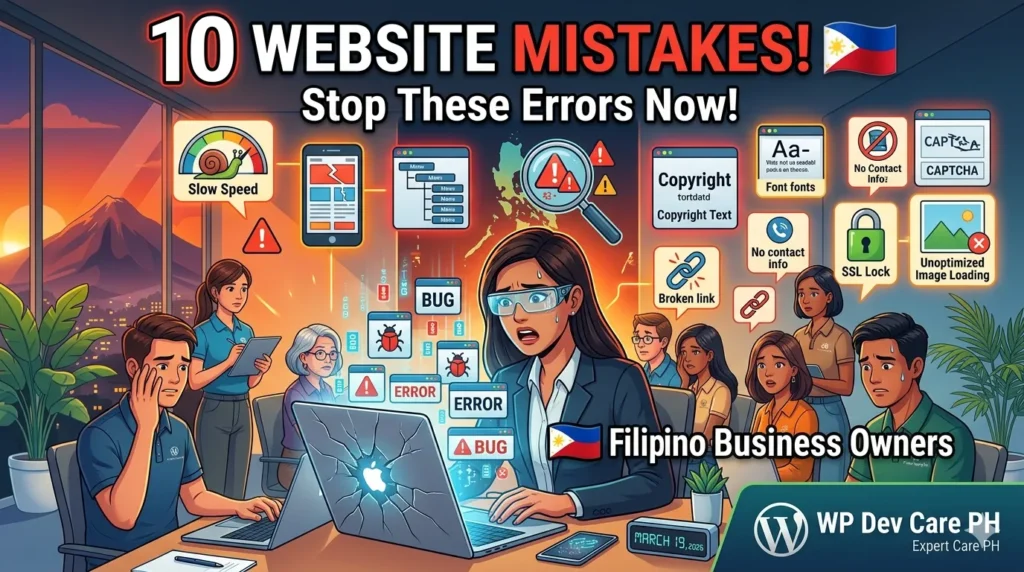
Website mistakes Philippines business owners make are more common than you’d think – and most of them are quietly costing leads, rankings, and credibility every single day. The good news is that most of these errors are completely fixable, often without a full website redesign.
If your website isn’t generating inquiries the way it should, chances are one or more of these mistakes is the reason.
Mistake 1: No Clear Call to Action on Every Page
Many Philippine business websites tell visitors what they do but never tell them what to do next. No button, no form, no WhatsApp link – just information and then nothing.
The fix: Every page on your website needs at least one clear call to action. “Get a Free Quote,” “Chat With Us on WhatsApp,” or “Book a Free Consultation” – pick one action per page and make the button impossible to miss. For Philippine audiences, a direct WhatsApp CTA converts better than a generic contact form.
Mistake 2: Slow Loading Speed
Filipino mobile users have limited patience for slow websites. If your site takes more than 3 seconds to load, a significant portion of visitors leave before seeing a single word of your content. Google also uses page speed as a ranking factor, so a slow site hurts you twice.
The fix: Test your site at Google PageSpeed Insights right now. Common culprits are oversized images, too many plugins, and cheap shared hosting. Switching to a managed WordPress host with LiteSpeed technology makes an immediate difference for most Philippine business sites.
Mistake 3: Not Optimised for Mobile
More than 70% of web traffic in the Philippines comes from mobile devices. If your website looks great on a desktop but breaks or looks cramped on a phone, you’re losing the majority of your potential customers.
The fix: Open your website on your phone right now. Check that text is readable without zooming, buttons are easy to tap, and forms work properly. If it doesn’t pass that basic test, a mobile-first redesign is overdue.
Mistake 4: Missing or Incomplete Google Business Profile
One of the most common website mistakes Philippines business owners make isn’t on the website itself – it’s the missing Google Business Profile. Without a verified and optimised GBP listing, your business won’t appear on Google Maps when local customers search for your services.
The fix: Claim and verify your Google Business Profile at business.google.com. Fill in every field – business name, category, address or service area, phone, website, hours, and photos. Then ask every satisfied customer for a review using a direct link.
Mistake 5: No SEO Optimisation
Having a website and having a website that gets found on Google are two very different things. Most small business websites in the Philippines were built with zero SEO consideration – no keyword targeting, no proper heading structure, no meta descriptions, no image alt text.
The fix: Start with the basics. Every page needs a clear focus keyword, a proper H1 heading, a meta title and description, and image alt text. Use a free tool like Rank Math if you’re on WordPress. For more comprehensive results, a structured local SEO plan makes a measurable difference within 3 to 6 months.
Mistake 6: Using a Cheap Shared Hosting Plan
Many Philippine business owners choose the cheapest hosting available to save money upfront. The result is a slow, frequently down website on overcrowded servers with poor customer support and minimal security. This costs more in lost business than any hosting savings.
The fix: Invest in quality managed WordPress hosting. For most Philippine small businesses, a reliable managed plan costs between ₱1,500 and ₱3,000 per month and includes automatic updates, daily backups, and performance optimisation built in.
Mistake 7: Outdated or Neglected Content
A website with a blog last updated in 2022, testimonials from years ago, or services that no longer exist tells visitors – and Google – that your business isn’t active. This kills trust immediately.
The fix: Do a content audit. Update your service pages with current pricing and offerings. Add recent testimonials. If you have a blog, commit to publishing at least one new post per month. Fresh content signals to Google that your site is active and relevant.
Mistake 8: No SSL Certificate (Not HTTPS)
If your website still shows “http://” instead of “https://” in the browser bar, visitors see a “Not Secure” warning in Chrome. This is an immediate credibility killer – especially for any page with a contact form or payment. Google also ranks HTTPS sites higher than HTTP ones.
The fix: Install a free SSL certificate through your hosting provider. Most quality hosts include this automatically. If you’re on a managed WordPress plan, this should already be handled for you.
Mistake 9: No Analytics Installed
If you don’t have Google Analytics or a similar tool installed, you have no idea how many people visit your site, where they come from, which pages they read, or where they drop off. You’re making business decisions blind.
The fix: Install Google Analytics 4 and connect Google Search Console to your website. Both are free. Even checking them once a month gives you enough data to make smarter decisions about your content, your pages, and your marketing budget.
Mistake 10: Treating Your Website as a One-Time Project
The biggest website mistake Philippines business owners make is thinking a website is something you build once and forget. Plugins go outdated. Security vulnerabilities emerge. Google’s algorithm changes. A neglected WordPress site is a security risk and a missed opportunity.
The fix: Treat your website like any other business asset that needs regular maintenance. At minimum, update your plugins and themes monthly, run backups weekly, and review your content quarterly. Better yet, get a managed WordPress support plan so someone else handles all of it while you focus on running your business.
Is Your Website Making Any of These Mistakes?
Most Philippine business websites are making at least three or four of the errors above – and fixing even one or two can make a measurable difference in traffic, leads, and conversions.
At WP Dev Care PH, we help Davao City and Philippine business owners build, maintain, and optimise WordPress websites that actually generate results. Whether you need a full redesign, ongoing maintenance, or help with local SEO, we have a plan built for your budget.
See our web design services Philippines or WordPress maintenance Philippines plans – or get in touch for a free website audit.